Looking for a multiplayer game that starts instantly? Bullet Force - action runs in your browser and is completely free to play. Bullet Force - action works because it is social. Winning feels better and losing is funnier when there is a real person on the other side. A few things the tags reveal: fast reactions and constant movement are the point; other players are involved, either online or on the same device.
About Bullet Force - action
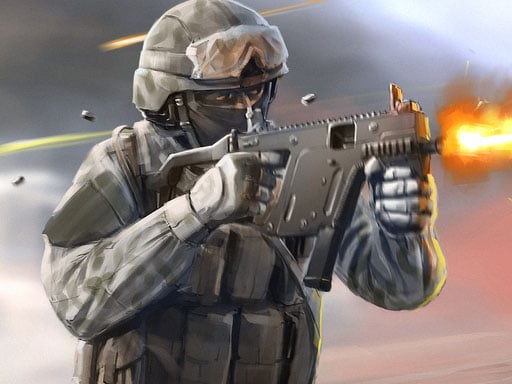
Get ready for intense multiplayer action with Bullet Force, a fast-paced first-person shooter that immerses you in exhilarating battles against players from around the globe. The game offers four meticulously designed modes: Team Deathmatch, Conquest, Free-For-All, and Gun Game, ensuring that every encounter is thrilling and requires unique strategies. In Team Deathmatch, teamwork is key as you coordinate with your allies
Judged as a multiplayer game, Bullet Force - action hits the notes you would hope for: head-to-head or cooperative play, simple rules everyone can grasp fast and moments of comeback and reversal. Playing it works your composure and reading opponents, which is a large part of why the "one more round" feeling is so strong.
How to play Bullet Force - action
- Start by clicking the big play button. Bullet Force - action loads inside the frame; give it a moment, especially on a slow connection.
- Look for the in-game tutorial or hints on the first screen; most browser games explain their controls in the opening seconds.
- Try a round against the computer or alone first so the controls are familiar before you bring in another player.
- Use the full-screen button under the frame for the best view, and keep an eye on the score, timer or health display so you know what the game is asking of you.
Controls
The controls in Bullet Force - action are straightforward once you have seen them written down:
| Input | What it does |
|---|---|
| Mouse | Point and click to play; the game shows its own prompts on screen. |
| Keyboard | Some actions may use the arrow keys or space bar — check the in-game hints. |
It is designed for desktop play with a keyboard and mouse.
Tips and tricks
- Do not tilt. After a bad round, the next one is a fresh start; the player who resets emotionally usually wins the set.
- Be a good winner. Rematches are how multiplayer games stay fun, and nobody replays a gloater.
- Play the opponent, not the game. Notice what your rival keeps doing and punish that habit.
- Use the first round to test. Try something unusual and see how the opponent reacts; the information is worth more than the round.
- Because this is a Multiplayer game, expect surprises — real opponents do not follow the patterns bots do.
Who will enjoy it
Who is Bullet Force - action for? In a word, friends on one screen, online competitors and anyone who finds bots boring. In terms of time, think of matches of two to ten minutes, best played in a series. The learning curve is entirely dependent on who you are playing against. It is designed for desktop play with a keyboard and mouse.
Game details
| Category | Multiplayer Games |
|---|---|
| Tags | Action, Bmx Games, Multiplayer |
| Platform | Browser (desktop) |
| Controls | Mouse |
| Technology | HTML5 — no download or plugin required |
| Frame | Landscape (800×600) |
| Added | 26 September 2024 |
| Plays | 1 |
| Price | Free to play |
Frequently asked questions
Is Bullet Force - action free to play?
Yes. Bullet Force - action is completely free to play on Diemakora. There is no download, no account and no payment — the game runs in your browser.
Can I play Bullet Force - action on my phone?
Bullet Force - action is best played on a desktop or laptop. It relies on keyboard and mouse input, and while it may load on a phone, the controls will not be comfortable.
What are the controls for Bullet Force - action?
The developer did not publish detailed controls, but the game follows genre conventions: Mouse — Point and click to play; the game shows its own prompts on screen; Keyboard — Some actions may use the arrow keys or space bar — check the in-game hints. The full list is in the controls section above.
Does Bullet Force - action save my progress?
Progress in Bullet Force - action is kept by the game itself inside your browser storage. It will normally be there when you come back on the same device and browser.
What if Bullet Force - action does not load?
A blank frame usually means the game is still loading or a browser extension blocked it. Wait a few seconds, then reload; if that fails, try another browser.
What kind of game is Bullet Force - action?
It is a multiplayer game with the tags Action, Bmx Games, Multiplayer. Entirely dependent on who you are playing against, and matches of two to ten minutes, best played in a series.
Games similar to Bullet Force - action
When you are done, scroll down for more multiplayer games and titles that share tags with Bullet Force - action.