Play Glow obstacle course for free — a arcade game that runs directly in your browser on desktop, tablet or phone. You will understand Glow obstacle course in about ten seconds and still be improving at it a week later. That is the arcade formula done right. From the tags you can already tell that it follows the hyper-casual formula: one mechanic, instant play and very short rounds; the structure is classic arcade — quick rounds, rising difficulty and a score to beat.
About Glow obstacle course
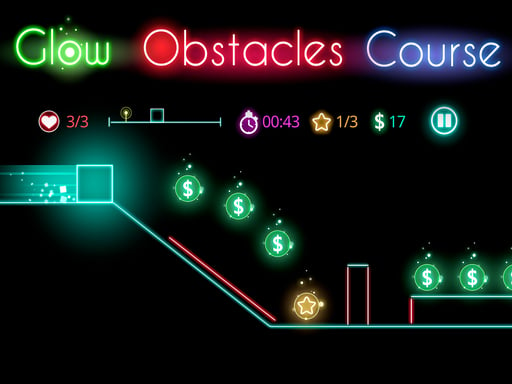
Step into the vibrant world of Glow Obstacle Course, where your neon square must navigate through a series of intricate geometric challenges. This thrilling platformer game tests your reflexes and timing, as you leap and dodge your way past a rainbow of glowing obstacles. Each level is meticulously designed to keep you on your toes, demanding precision and quick thinking
What makes a good arcade game? Usually instant restarts, a single, easy-to-read score and bright, readable visuals — and Glow obstacle course has each of them in some measure. Under the surface it is a test of focus and timing, dressed up in quick presentation.
How to play Glow obstacle course
- Start by clicking the big play button. Glow obstacle course loads inside the frame; give it a moment, especially on a slow connection.
- Follow the on-screen prompts. The developer describes the controls like this: Make your neon square jump through geometric obstacles in this platformer game
- Play the first run purely to learn. Notice the rhythm of the obstacles, then start a fresh run and aim for a clean start.
- Use the full-screen button under the frame for the best view, and keep an eye on the score, timer or health display so you know what the game is asking of you.
Controls
The controls in Glow obstacle course are straightforward once you have seen them written down:
| Input | What it does |
|---|---|
| General | Make your neon square jump through geometric obstacles in this platformer game. |
The controls are tap and drag based, which makes it comfortable on touch screens as well as with a mouse.
Tips and tricks
- Play in a quiet tab with nothing else running. Small frame drops cause missed timing that feels like bad luck but is not.
- Combo systems reward patience: keep the chain alive with safe moves rather than reaching for risky bonuses.
- Look one step ahead of your character. Reacting to what is under you is too late; reacting to what is coming is exactly on time.
- Take a short break after three or four failed runs. Arcade games punish tired eyes more than any other genre.
- Because this is a Arcade game, restart early when a run goes wrong instead of grinding out a poor score.
Who will enjoy it
Glow obstacle course is a good fit for anyone with a few minutes to spare and a competitive streak. Expect runs of thirty seconds to a few minutes, endlessly repeatable. How hard is it? Simple rules, high skill ceiling. The controls are tap and drag based, which makes it comfortable on touch screens as well as with a mouse.
Game details
| Category | Arcade Games |
|---|---|
| Tags | Arcade, Hypercasual, Jumping, Dragon Ball Z, Bounce |
| Platform | Browser (desktop, tablet and mobile) |
| Controls | Touch and mouse |
| Technology | HTML5 — no download or plugin required |
| Frame | Landscape (800×600) |
| Added | 26 September 2024 |
| Plays | 2 |
| Price | Free to play |
Frequently asked questions
Is Glow obstacle course free to play?
Yes. Glow obstacle course is completely free to play on Diemakora. There is no download, no account and no payment — the game runs in your browser.
Can I play Glow obstacle course on my phone?
Glow obstacle course works on mobile devices. Open this page on your phone or tablet and use the touch controls; rotating the device to landscape usually gives the best view.
What are the controls for Glow obstacle course?
In short: General — Make your neon square jump through geometric obstacles in this platformer game. The full list is in the controls section above.
Does Glow obstacle course save my progress?
Most browser games, including Glow obstacle course, store progress locally in your browser. If you clear your cookies or switch devices, that progress may be lost, so finish sessions before clearing browser data.
How do I play Glow obstacle course in full screen?
Use the full-screen button just below the game frame. Press Esc on your keyboard to leave full-screen mode again.
What kind of game is Glow obstacle course?
It is a arcade game with the tags Arcade, Hypercasual, Jumping, Dragon Ball Z. Simple rules, high skill ceiling, and runs of thirty seconds to a few minutes, endlessly repeatable.
Games similar to Glow obstacle course
If you enjoy Glow obstacle course, the related games below share its category or tags and are a natural next step.