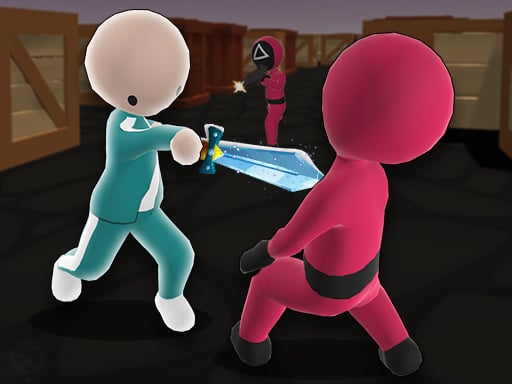
Hugi Wugi 2 is one of the shooting games in the Diemakora collection. It loads in seconds and needs nothing installed. Shooting games are really about attention: Hugi Wugi 2 rewards the player who tracks several moving things at once and picks the right one to deal with first. A few things the tags reveal: the structure is classic arcade — quick rounds, rising difficulty and a score to beat.
About Hugi Wugi 2
Welcome to the thrilling world of Hugi Wugi 2, where your primary goal is to escape from the beloved yet formidable blue toy, Hugi Wugi! Although it may look cute and charming, players are reminded to tread carefully as they navigate through this exhilarating adventure. You'll soon discover that this installment of the series introduces new challenges, as Hugi Wugi
What makes a good shooting game? Usually ammunition or cooldown management, satisfying hit feedback and enemies with distinct behaviours — and Hugi Wugi 2 has each of them in some measure. The skills it leans on are target prioritisation and target prioritisation; both improve noticeably after a few sessions.
How to play Hugi Wugi 2
- Press the play button above and wait for Hugi Wugi 2 to finish loading. On first load this can take a few seconds while the game files are fetched.
- Follow the on-screen prompts. The developer describes the controls like this: Use WASD keys to play Use mouse cursor to rotate 360 degrees Press the p key to stop the game
- Take a few practice shots at the first targets to learn the aim speed, then move on to prioritising the dangerous enemies.
- Use the full-screen button under the frame for the best view, and keep an eye on the score, timer or health display so you know what the game is asking of you.
Controls
You will not need a manual for Hugi Wugi 2, but knowing the inputs before you start saves the first minute of fumbling:
| Input | What it does |
|---|---|
| WASD keys | Use WASD keys to play Use mouse cursor to rotate 360 degrees Press the p key to stop the game. |
| Mouse | Use WASD keys to play Use mouse cursor to rotate 360 degrees Press the p key to stop the game. |
It is designed for desktop play with a keyboard and mouse.
Tips and tricks
- Keep your cursor or crosshair roughly where enemies appear, not on the spot where the last one died.
- Learn the spawn points. Most levels reuse the same few entry points, and knowing them turns panic into routine.
- Sound tells you where an enemy is before you can see it. Headphones help more than you would expect.
- Headshots, weak points and combo multipliers are where high scores live; once survival is comfortable, start hunting for them.
- Because this is a Arcade game, restart early when a run goes wrong instead of grinding out a poor score.
Who will enjoy it
Who is Hugi Wugi 2 for? In a word, players who like precision, quick targeting and progressively tougher waves. Expect levels of a few minutes each, with longer runs in survival modes. Difficulty-wise it is approachable at first, with a steep climb in the later waves. It is designed for desktop play with a keyboard and mouse.
Game details
| Category | Shooting Games |
|---|---|
| Tags | Arcade, 3d Games, 1 Player, Adventure, Fall Boys |
| Platform | Browser (desktop) |
| Controls | Keyboard and mouse |
| Technology | HTML5 — no download or plugin required |
| Frame | Landscape (800×600) |
| Added | 26 September 2024 |
| Plays | 1 |
| Price | Free to play |
Frequently asked questions
Is Hugi Wugi 2 free to play?
It is free. Open the page, press play and the game loads in the browser. You do not need to install anything or register.
Can I play Hugi Wugi 2 on my phone?
This one is a desktop game. It expects a keyboard and mouse, so we recommend playing Hugi Wugi 2 on a computer for the intended experience.
What are the controls for Hugi Wugi 2?
In short: WASD keys — Use WASD keys to play Use mouse cursor to rotate 360 degrees Press the p key to stop the game; Mouse — Use WASD keys to play Use mouse cursor to rotate 360 degrees Press the p key to stop the game. The full list is in the controls section above.
Does Hugi Wugi 2 save my progress?
Progress in Hugi Wugi 2 is kept by the game itself inside your browser storage. It will normally be there when you come back on the same device and browser.
What if Hugi Wugi 2 does not load?
If Hugi Wugi 2 does not load, refresh the page, make sure your browser is up to date and check that hardware acceleration is enabled. Ad blockers occasionally interfere with the game frame as well.
What kind of game is Hugi Wugi 2?
It is a shooting game with the tags Arcade, 3d Games, 1 Player, Adventure. Approachable at first, with a steep climb in the later waves, and levels of a few minutes each, with longer runs in survival modes.
Games similar to Hugi Wugi 2
If you enjoy Hugi Wugi 2, the related games below share its category or tags and are a natural next step.