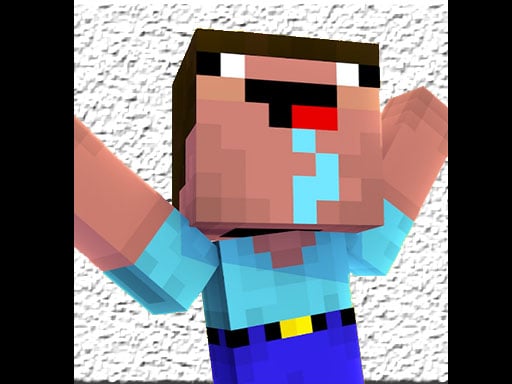
Noob: Zombie Killer is one of the arcade games in the Diemakora collection. It loads in seconds and needs nothing installed. Arcade games are designed around the loop, and Noob: Zombie Killer has a good one — short attempts, instant restarts and a score that begs to be beaten. From the tags you can already tell that the structure is classic arcade — quick rounds, rising difficulty and a score to beat; it uses a block-world style of building and exploring.
About Noob: Zombie Killer
Step into the thrilling world of Noob: Zombie Killer, a captivating minicraft-style game where you take on the role of a noob in a relentless battle against zombies. Dive into an adventure filled with exciting challenges and fierce adversaries as you hone your skills and fight to survive in an ever-dangerous environment. Your mission is clear: eliminate the zombies that
The genre lives on a single, easy-to-read score, bright, readable visuals and instant restarts. Noob: Zombie Killer understands that, and it shows in the first minute of play. Playing it works your focus and consistency, which is a large part of why the "one more round" feeling is so strong.
How to play Noob: Zombie Killer
- Start by clicking the big play button. Noob: Zombie Killer loads inside the frame; give it a moment, especially on a slow connection.
- Follow the on-screen prompts. The developer describes the controls like this: How To Play W- Forward S- Backward A- Left D- Right
- Play the first run purely to learn. Notice the rhythm of the obstacles, then start a fresh run and aim for a clean start.
- When you are comfortable, set a target: a score to beat, a level to clear or a time to shave. Small goals are what make Noob: Zombie Killer stick.
Controls
Here is how Noob: Zombie Killer is controlled, based on the developer's instructions and our own testing:
| Input | What it does |
|---|---|
| Mouse | Point and click to play; the game shows its own prompts on screen. |
| Keyboard | Some actions may use the arrow keys or space bar — check the in-game hints. |
It is designed for desktop play with a keyboard and mouse.
Tips and tricks
- Look one step ahead of your character. Reacting to what is under you is too late; reacting to what is coming is exactly on time.
- Learn the first thirty seconds perfectly. The opening is the same every time, so it should never be where you lose.
- Take a short break after three or four failed runs. Arcade games punish tired eyes more than any other genre.
- Find the rhythm. Most arcade games have an underlying beat — taps, jumps or moves that fall on a regular interval — and once you feel it, your accuracy jumps.
- Because this is a Adventure game, explore side paths early; adventure games hide their best upgrades away from the main route.
Who will enjoy it
Who is Noob: Zombie Killer for? In a word, anyone with a few minutes to spare and a competitive streak. A typical session is runs of thirty seconds to a few minutes, endlessly repeatable. How hard is it? Simple rules, high skill ceiling. It is designed for desktop play with a keyboard and mouse.
Game details
| Category | Arcade Games |
|---|---|
| Tags | Arcade, 3d Games, 1 Player, Adventure, .io Games, Minecraft |
| Platform | Browser (desktop) |
| Controls | Mouse |
| Technology | HTML5 — no download or plugin required |
| Frame | Landscape (1360×768) |
| Added | 26 September 2024 |
| Plays | 1 |
| Price | Free to play |
Frequently asked questions
Is Noob: Zombie Killer free to play?
Yes. Noob: Zombie Killer is completely free to play on Diemakora. There is no download, no account and no payment — the game runs in your browser.
Can I play Noob: Zombie Killer on my phone?
Noob: Zombie Killer is best played on a desktop or laptop. It relies on keyboard and mouse input, and while it may load on a phone, the controls will not be comfortable.
What are the controls for Noob: Zombie Killer?
The developer did not publish detailed controls, but the game follows genre conventions: Mouse — Point and click to play; the game shows its own prompts on screen; Keyboard — Some actions may use the arrow keys or space bar — check the in-game hints. The full list is in the controls section above.
Does Noob: Zombie Killer save my progress?
Most browser games, including Noob: Zombie Killer, store progress locally in your browser. If you clear your cookies or switch devices, that progress may be lost, so finish sessions before clearing browser data.
How do I play Noob: Zombie Killer in full screen?
Use the full-screen button just below the game frame. Press Esc on your keyboard to leave full-screen mode again.
What kind of game is Noob: Zombie Killer?
It is a arcade game with the tags Arcade, 3d Games, 1 Player, Adventure. Simple rules, high skill ceiling, and runs of thirty seconds to a few minutes, endlessly repeatable.
Games similar to Noob: Zombie Killer
Finished a session? The games listed below were picked because they share tags or a category with Noob: Zombie Killer.