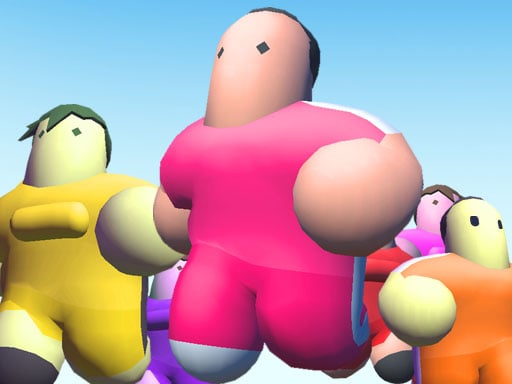
Santa Matching Game is one of the multiplayer games in the Diemakora collection. It loads in seconds and needs nothing installed. Santa Matching Game works because it is social. Winning feels better and losing is funnier when there is a real person on the other side. A few things the tags reveal: remembering positions or sequences is the challenge.
About Santa Matching Game
Xmas Matching is a delightful, holiday-themed memory puzzle game designed for friends and family to enjoy together. Set against a snowy winter night, players take turns flipping cards to find matching pairs of iconic Christmas symbols, including Santa Claus, warm cocoa, festive candles, and gingerbread cookies. Challenge your brain across multiple levels of increasing difficulty. Whether you are playing solo
Judged as a multiplayer game, Santa Matching Game hits the notes you would hope for: moments of comeback and reversal, head-to-head or cooperative play and simple rules everyone can grasp fast. Playing it works your reading opponents and communication, which is a large part of why the "one more round" feeling is so strong.
How to play Santa Matching Game
- Press the play button above and wait for Santa Matching Game to finish loading. On first load this can take a few seconds while the game files are fetched.
- Follow the on-screen prompts. The developer describes the controls like this: Xmas Matching Select Flip Left-Click or Tap Navigate Left-Click or Tap buttons to start or progress levels Input Use Keyboard to type player names during setup
- Try a round against the computer or alone first so the controls are familiar before you bring in another player.
- Switch to full screen if precision matters, and remember that the game keeps its own progress — finish a level before you close the tab.
Controls
Here is how Santa Matching Game is controlled, based on the developer's instructions and our own testing:
| Input | What it does |
|---|---|
| Left mouse click | Xmas Matching Select Flip Left-Click or Tap Navigate Left-Click or Tap buttons to start or progress levels Input Use Keyboard to type player names during setup. |
| Mouse | Xmas Matching Select Flip Left-Click or Tap Navigate Left-Click or Tap buttons to start or progress levels Input Use Keyboard to type player names during setup. |
| Tap (touch) | Xmas Matching Select Flip Left-Click or Tap Navigate Left-Click or Tap buttons to start or progress levels Input Use Keyboard to type player names during setup. |
The controls are tap and drag based, which makes it comfortable on touch screens as well as with a mouse.
Tips and tricks
- Learn the controls alone for two minutes before you invite a friend. Fumbling the basics is the fastest way to lose a match you should win.
- Cooperative modes reward splitting roles: one player handles offence while the other covers, rather than both rushing.
- In shared-keyboard games, agree on who uses which keys before you start — hand collisions cause more losses than skill does.
- Play the opponent, not the game. Notice what your rival keeps doing and punish that habit.
Who will enjoy it
Who is Santa Matching Game for? In a word, friends on one screen, online competitors and anyone who finds bots boring. A typical session is matches of two to ten minutes, best played in a series. Difficulty-wise it is entirely dependent on who you are playing against. The controls are tap and drag based, which makes it comfortable on touch screens as well as with a mouse.
Game details
| Category | Multiplayer Games |
|---|---|
| Tags | Funny, Matching, Christmas, Multiplayer, Memory, Amazing, Brainrot Sahuuur, Mind, Santa Claus |
| Platform | Browser (desktop, tablet and mobile) |
| Controls | Keyboard and mouse |
| Technology | HTML5 — no download or plugin required |
| Frame | Landscape (800×600) |
| Added | 7 March 2026 |
| Plays | 1 |
| Price | Free to play |
Frequently asked questions
Is Santa Matching Game free to play?
It is free. Open the page, press play and the game loads in the browser. You do not need to install anything or register.
Can I play Santa Matching Game on my phone?
Yes — the game supports touch input and adapts to smaller screens, so you can play Santa Matching Game on a phone or tablet as well as on a computer.
What are the controls for Santa Matching Game?
In short: Left mouse click — Xmas Matching Select Flip Left-Click or Tap Navigate Left-Click or Tap buttons to start or progress levels Input Use Keyboard to type player names during setup; Mouse — Xmas Matching Select Flip Left-Click or Tap Navigate Left-Click or Tap buttons to start or progress levels Input Use Keyboard to type player names during setup; Tap (touch) — Xmas Matching Select Flip Left-Click or Tap Navigate Left-Click or Tap buttons to start or progress levels Input Use Keyboard to type player names during setup. The full list is in the controls section above.
Does Santa Matching Game save my progress?
Most browser games, including Santa Matching Game, store progress locally in your browser. If you clear your cookies or switch devices, that progress may be lost, so finish sessions before clearing browser data.
What if Santa Matching Game does not load?
If Santa Matching Game does not load, refresh the page, make sure your browser is up to date and check that hardware acceleration is enabled. Ad blockers occasionally interfere with the game frame as well.
What kind of game is Santa Matching Game?
It is a multiplayer game with the tags Funny, Matching, Christmas, Multiplayer. Entirely dependent on who you are playing against, and matches of two to ten minutes, best played in a series.
Games similar to Santa Matching Game
If you enjoy Santa Matching Game, the related games below share its category or tags and are a natural next step.