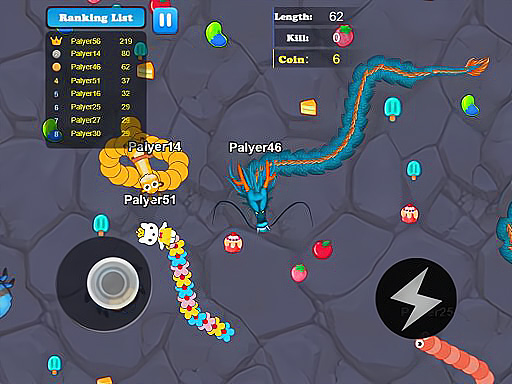
Welcome to Tom And Jerry In Cooperation, a browser-based multiplayer game. Click play, wait a moment for it to load, and you are in. Tom And Jerry In Cooperation works because it is social. Winning feels better and losing is funnier when there is a real person on the other side. From the tags you can already tell that there is a journey with a beginning and an end rather than an endless score chase.
About Tom And Jerry In Cooperation
In the delightful world of Tom and Jerry In Cooperation, our beloved feline and rodent duo embark on a unique journey that challenges their long-standing rivalry. After countless chases and escapades filled with mischief, Tom the cat and Jerry the mouse come to an important realization: working together is the only way to overcome the obstacles that stand in their
The genre lives on quick matchmaking or shared-screen setup, moments of comeback and reversal and head-to-head or cooperative play. Tom And Jerry In Cooperation understands that, and it shows in the first minute of play. Playing it works your communication and composure, which is a large part of why the "one more round" feeling is so strong.
How to play Tom And Jerry In Cooperation
- Start by clicking the big play button. Tom And Jerry In Cooperation loads inside the frame; give it a moment, especially on a slow connection.
- Follow the on-screen prompts. The developer describes the controls like this: P1 A D move W jump P2 move jump change small
- Try a round against the computer or alone first so the controls are familiar before you bring in another player.
- When you are comfortable, set a target: a score to beat, a level to clear or a time to shave. Small goals are what make Tom And Jerry In Cooperation stick.
Controls
You will not need a manual for Tom And Jerry In Cooperation, but knowing the inputs before you start saves the first minute of fumbling:
| Input | What it does |
|---|---|
| General | P1 A D move W jump P2 move jump change small. |
It is designed for desktop play with a keyboard and mouse.
Tips and tricks
- Learn the controls alone for two minutes before you invite a friend. Fumbling the basics is the fastest way to lose a match you should win.
- Play the opponent, not the game. Notice what your rival keeps doing and punish that habit.
- Use the first round to test. Try something unusual and see how the opponent reacts; the information is worth more than the round.
- In shared-keyboard games, agree on who uses which keys before you start — hand collisions cause more losses than skill does.
Who will enjoy it
Who is Tom And Jerry In Cooperation for? In a word, friends on one screen, online competitors and anyone who finds bots boring. In terms of time, think of matches of two to ten minutes, best played in a series. How hard is it? Entirely dependent on who you are playing against. It is designed for desktop play with a keyboard and mouse.
Game details
| Category | Multiplayer Games |
|---|---|
| Tags | Adventure, 2d, 2 Player Games |
| Platform | Browser (desktop) |
| Controls | Mouse |
| Technology | HTML5 — no download or plugin required |
| Frame | Landscape (800×480) |
| Added | 25 October 2024 |
| Plays | 1 |
| Price | Free to play |
Frequently asked questions
Is Tom And Jerry In Cooperation free to play?
Yes. Tom And Jerry In Cooperation is completely free to play on Diemakora. There is no download, no account and no payment — the game runs in your browser.
Can I play Tom And Jerry In Cooperation on my phone?
Tom And Jerry In Cooperation is best played on a desktop or laptop. It relies on keyboard and mouse input, and while it may load on a phone, the controls will not be comfortable.
What are the controls for Tom And Jerry In Cooperation?
In short: General — P1 A D move W jump P2 move jump change small. The full list is in the controls section above.
Does Tom And Jerry In Cooperation save my progress?
Most browser games, including Tom And Jerry In Cooperation, store progress locally in your browser. If you clear your cookies or switch devices, that progress may be lost, so finish sessions before clearing browser data.
How do I play Tom And Jerry In Cooperation in full screen?
Click the expand icon under the game to switch Tom And Jerry In Cooperation to full screen. Esc returns you to the normal view.
What kind of game is Tom And Jerry In Cooperation?
It is a multiplayer game with the tags Adventure, 2d, 2 Player Games. Entirely dependent on who you are playing against, and matches of two to ten minutes, best played in a series.
Games similar to Tom And Jerry In Cooperation
Finished a session? The games listed below were picked because they share tags or a category with Tom And Jerry In Cooperation.