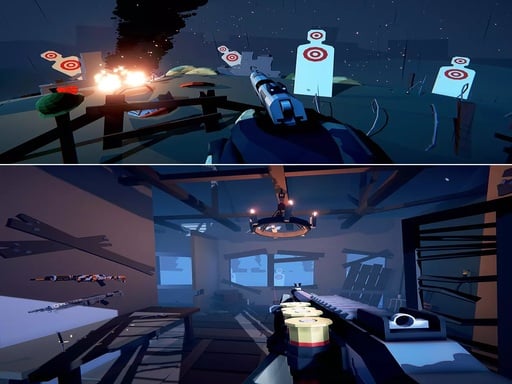
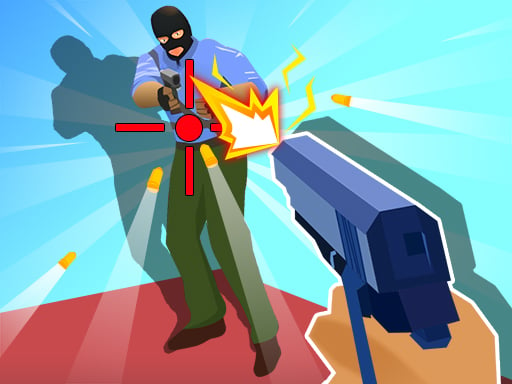
Wild Bull Shooter is one of the shooting games in the Diemakora collection. It loads in seconds and needs nothing installed. Shooting games are really about attention: Wild Bull Shooter rewards the player who tracks several moving things at once and picks the right one to deal with first. From the tags you can already tell that aiming and firing at targets is the primary action; it features firearms and shooting mechanics; long-range precision shots are the focus, often with breath or wind to manage.
About Wild Bull Shooter
Wild Bull Shooter is an exhilarating game crafted for those who thrive on the thrill of the hunt. Players are equipped with the latest sniper rifle technology to take down furious bulls in a series of intense encounters. This endless shooter game promises an addictive experience, challenging players to test their aim and reflexes in a bullfighting scenario. The design of
The genre lives on waves or levels that build up, ammunition or cooldown management and satisfying hit feedback. Wild Bull Shooter understands that, and it shows in the first minute of play. The skills it leans on are target prioritisation and aim; both improve noticeably after a few sessions.
How to play Wild Bull Shooter
- Press the play button above and wait for Wild Bull Shooter to finish loading. On first load this can take a few seconds while the game files are fetched.
- Follow the on-screen prompts. The developer describes the controls like this: WASD or Arrows Keys - Player Movement Mouse Right Click - Zoom Mouse Scroll - Weapon Switch R - Reload Space - Jump
- Take a few practice shots at the first targets to learn the aim speed, then move on to prioritising the dangerous enemies.
- Switch to full screen if precision matters, and remember that the game keeps its own progress — finish a level before you close the tab.
Controls
The controls in Wild Bull Shooter are straightforward once you have seen them written down:
| Input | What it does |
|---|---|
| WASD keys | WASD or Arrows Keys - Player Movement Mouse Right Click - Zoom Mouse Scroll - Weapon Switch R - Reload Space - Jump. |
| Arrow keys | WASD or Arrows Keys - Player Movement Mouse Right Click - Zoom Mouse Scroll - Weapon Switch R - Reload Space - Jump. |
| Space bar | WASD or Arrows Keys - Player Movement Mouse Right Click - Zoom Mouse Scroll - Weapon Switch R - Reload Space - Jump. |
| Right mouse click | WASD or Arrows Keys - Player Movement Mouse Right Click - Zoom Mouse Scroll - Weapon Switch R - Reload Space - Jump. |
| Mouse | WASD or Arrows Keys - Player Movement Mouse Right Click - Zoom Mouse Scroll - Weapon Switch R - Reload Space - Jump. |
| Mouse wheel | WASD or Arrows Keys - Player Movement Mouse Right Click - Zoom Mouse Scroll - Weapon Switch R - Reload Space - Jump. |
It is designed for desktop play with a keyboard and mouse.
Tips and tricks
- Keep your cursor or crosshair roughly where enemies appear, not on the spot where the last one died.
- Aim first, then shoot. Spraying costs time or ammo and rarely helps; a single well-placed shot almost always beats three rushed ones.
- Sound tells you where an enemy is before you can see it. Headphones help more than you would expect.
- Move between shots. Many shooters make you an easy target only when you stand in one place.
- Because this is a Sniper game, wait for the target to stop moving; patience is the whole skill.
Who will enjoy it
Wild Bull Shooter is a good fit for players who like precision, quick targeting and progressively tougher waves. A typical session is levels of a few minutes each, with longer runs in survival modes. How hard is it? Approachable at first, with a steep climb in the later waves. It is designed for desktop play with a keyboard and mouse.
Game details
| Category | Shooting Games |
|---|---|
| Tags | Action, First Person Shooter, Shooting, Gun, Shoot Em Up, Sniper |
| Platform | Browser (desktop) |
| Controls | Keyboard and mouse |
| Technology | HTML5 — no download or plugin required |
| Frame | Landscape (960×600) |
| Added | 25 October 2024 |
| Plays | 1 |
| Price | Free to play |
Frequently asked questions
Is Wild Bull Shooter free to play?
Yes. Wild Bull Shooter is completely free to play on Diemakora. There is no download, no account and no payment — the game runs in your browser.
Can I play Wild Bull Shooter on my phone?
This one is a desktop game. It expects a keyboard and mouse, so we recommend playing Wild Bull Shooter on a computer for the intended experience.
What are the controls for Wild Bull Shooter?
In short: WASD keys — WASD or Arrows Keys - Player Movement Mouse Right Click - Zoom Mouse Scroll - Weapon Switch R - Reload Space - Jump; Arrow keys — WASD or Arrows Keys - Player Movement Mouse Right Click - Zoom Mouse Scroll - Weapon Switch R - Reload Space - Jump; Space bar — WASD or Arrows Keys - Player Movement Mouse Right Click - Zoom Mouse Scroll - Weapon Switch R - Reload Space - Jump. The full list is in the controls section above.
Does Wild Bull Shooter save my progress?
Most browser games, including Wild Bull Shooter, store progress locally in your browser. If you clear your cookies or switch devices, that progress may be lost, so finish sessions before clearing browser data.
What if Wild Bull Shooter does not load?
If Wild Bull Shooter does not load, refresh the page, make sure your browser is up to date and check that hardware acceleration is enabled. Ad blockers occasionally interfere with the game frame as well.
What kind of game is Wild Bull Shooter?
It is a shooting game with the tags Action, First Person Shooter, Shooting, Gun. Approachable at first, with a steep climb in the later waves, and levels of a few minutes each, with longer runs in survival modes.
Games similar to Wild Bull Shooter
Finished a session? The games listed below were picked because they share tags or a category with Wild Bull Shooter.